
Run your studio's bookings.
Pottery studio booking software for one studio or ten: bookings, the kiln, the counter and every site you run, on one customer record. 0% commission from Studio up.
- Bookings
- Kiln
- Front desk
- Reports


Running every day at a multi-location studio
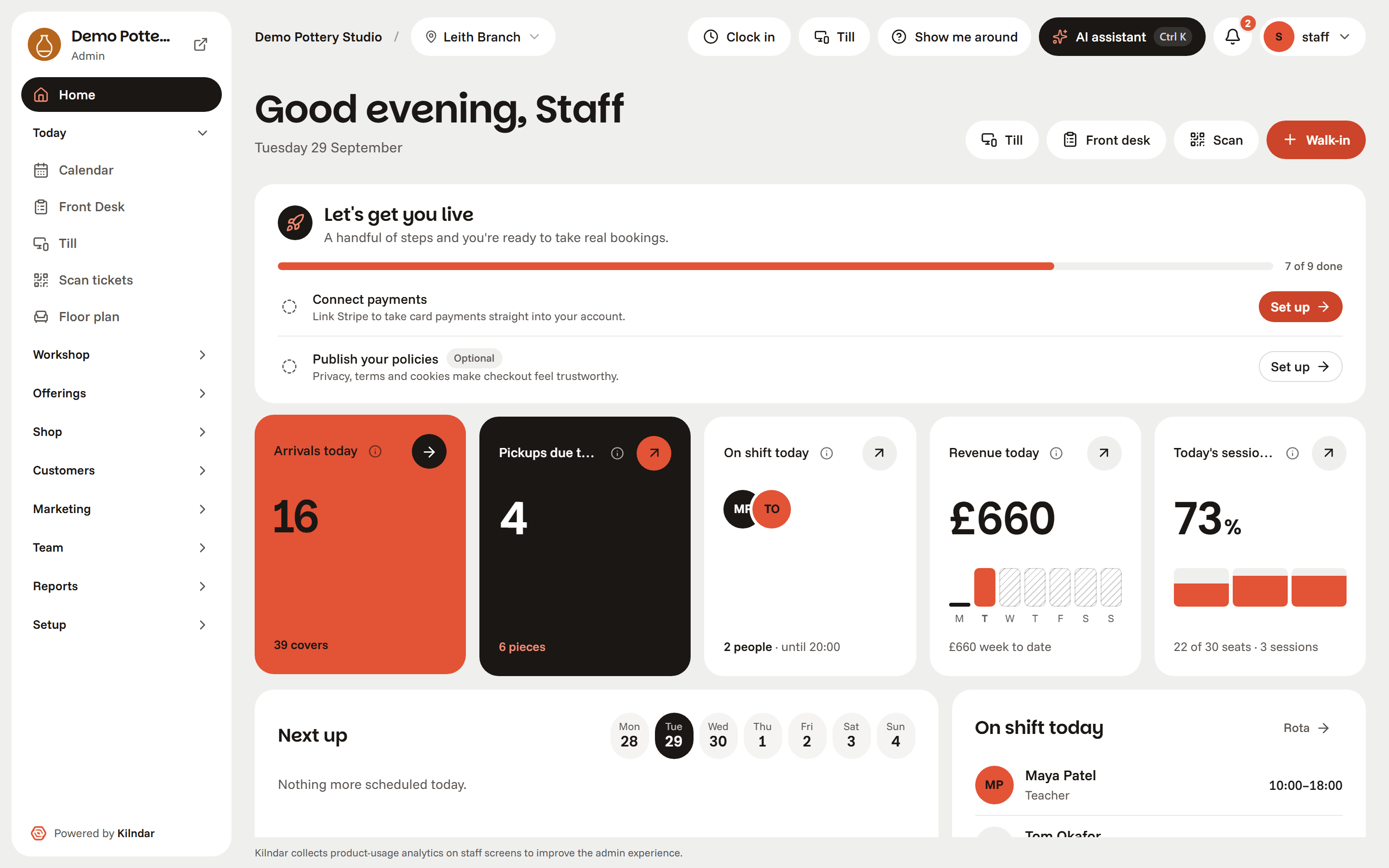
A pottery painting studio with seven sites across London and Milton Keynes runs its whole day on Kilndar: bookings, the till, coffee ordered from the table, the kiln shelf, rotas and email, on one login. It replaced four booking systems, a marketing tool, a rota app and a lot of paper.
See how a multi-site studio runs on KilndarBookings and the kiln, on one screen.
Six screens from the running product, not a feature matrix. Click through them.
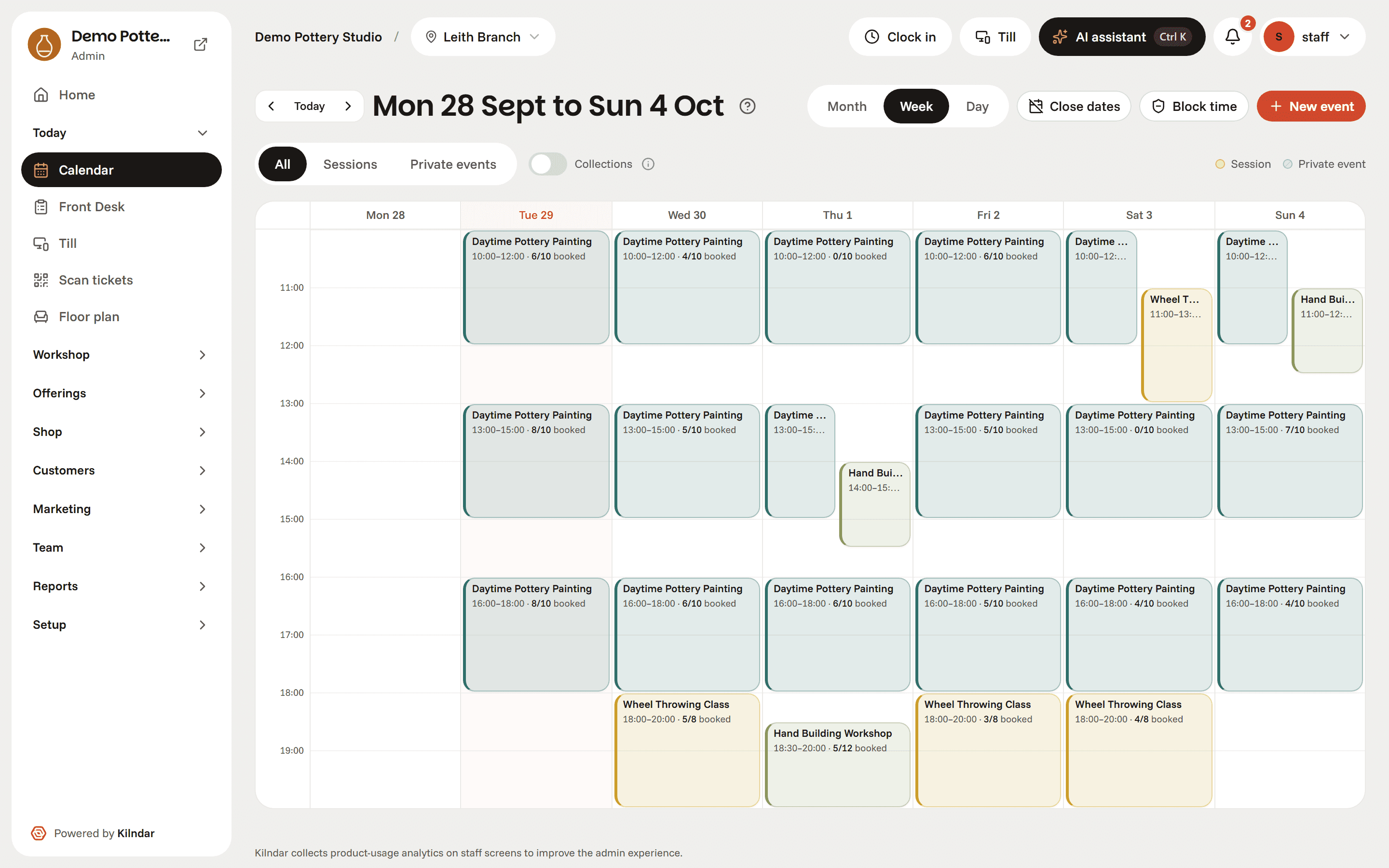
Pottery studio booking software that cannot oversell a class. Sell online, at the counter or over the phone into the same diary.
- Classes, drop-ins and multi-week courses
- Two people can't grab the last seat. Ever.
- Deposits, gift cards and waitlists
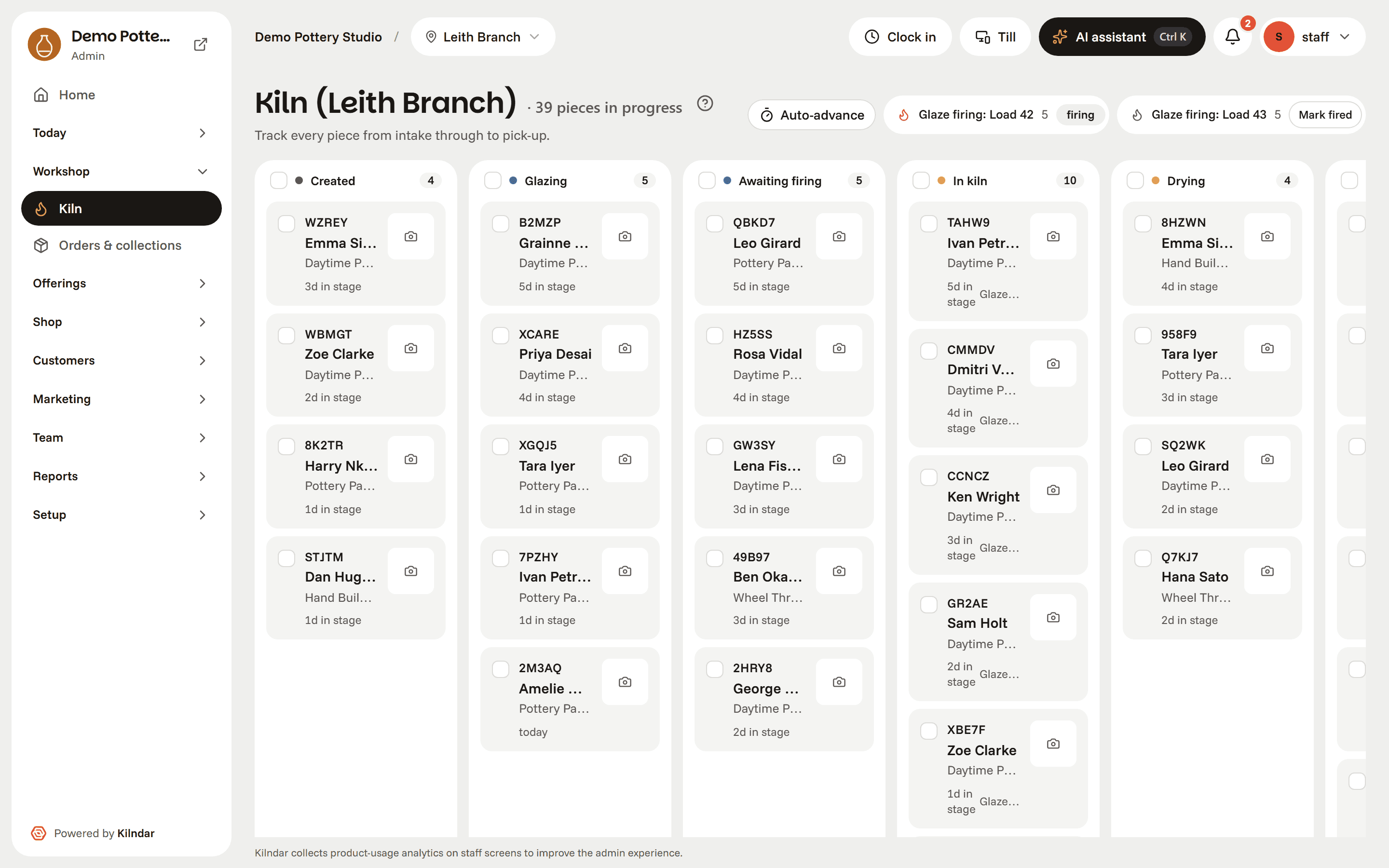
Every piece on the same record as the booking that made it. It moves stage by stage with a photo attached, from the wheel to the collection shelf.
- Stages from created to collected
- Kiln loads and firing batches
- The maker is emailed the moment it is ready
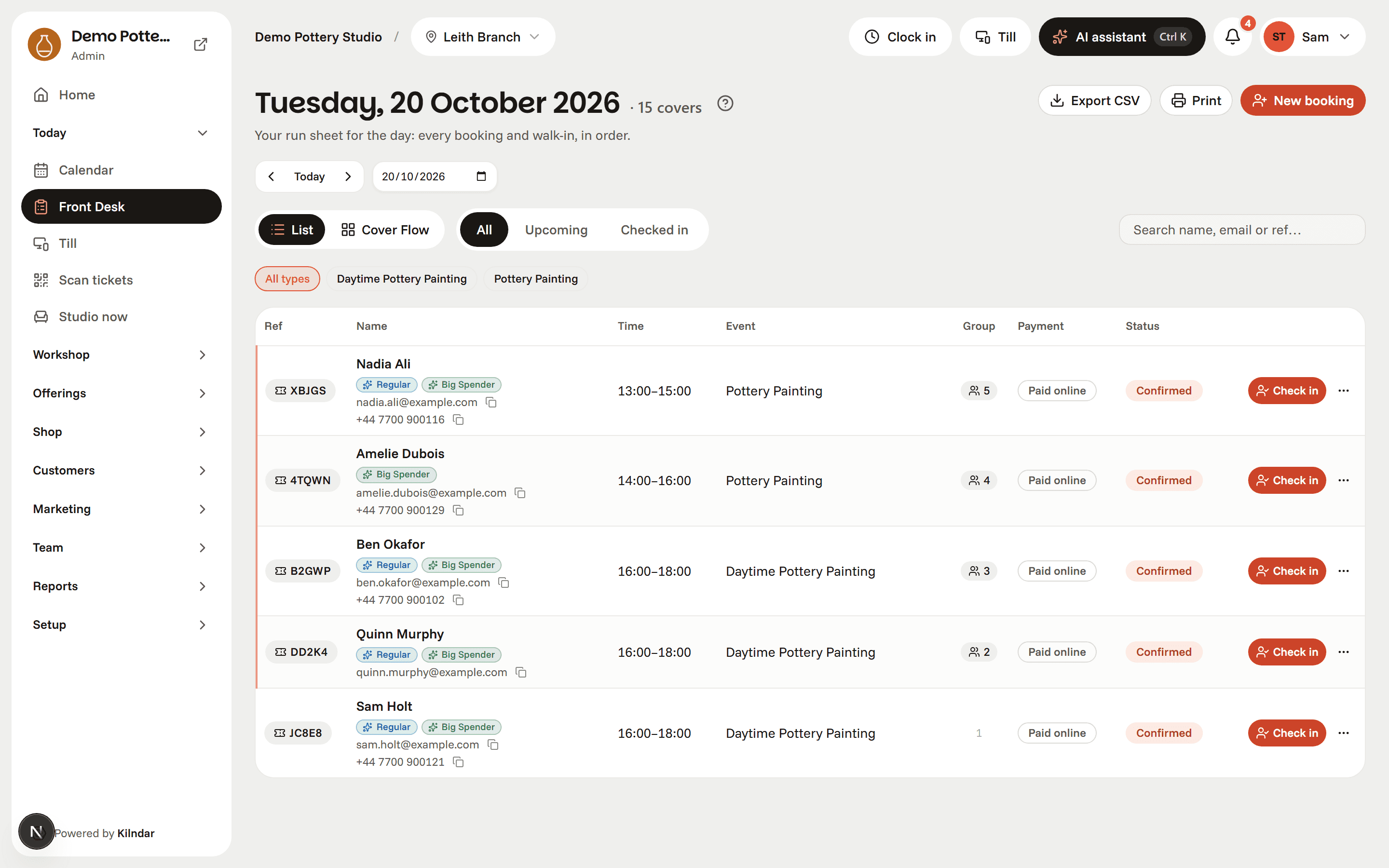
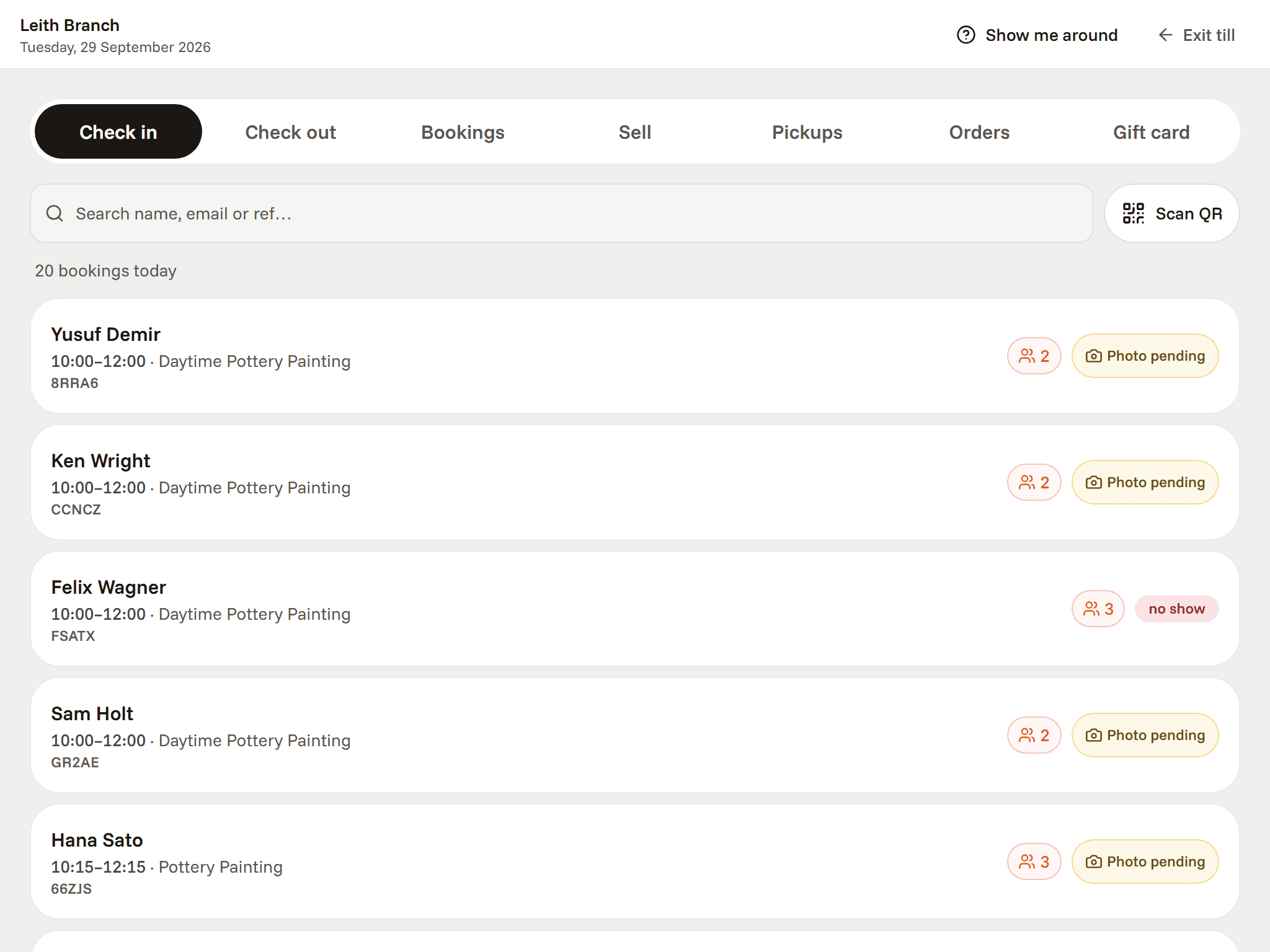
The run sheet for a busy pottery painting studio. Check a party in with one tap and the floor map opens on their table.
- Today's parties under their lead booker
- Walk-ins and QR check-in
- Piece pick-ups on the same list
One till for classes, pick-ups and the shelf. Balances taken at the counter land in the same ledger as everything sold online.
- Counter mode for a shared tablet
- Deposits settled in person
- 0% commission from Studio up
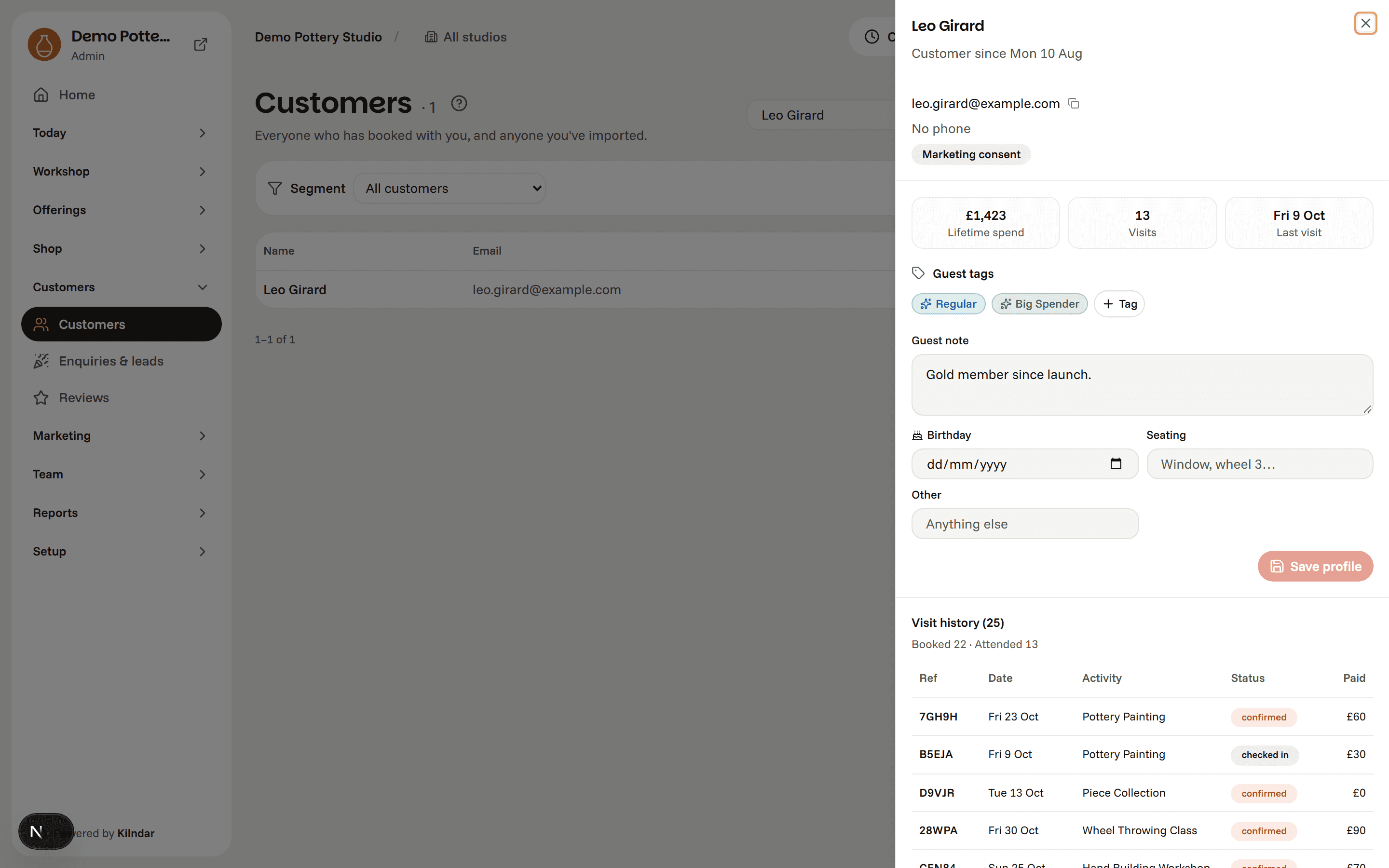
One record per guest, not five. The front desk, the kiln board and anything you send all read the same person.
- Tags, notes and visit history on every guest
- Segments built from who actually turned up
- Consent enforced, not remembered
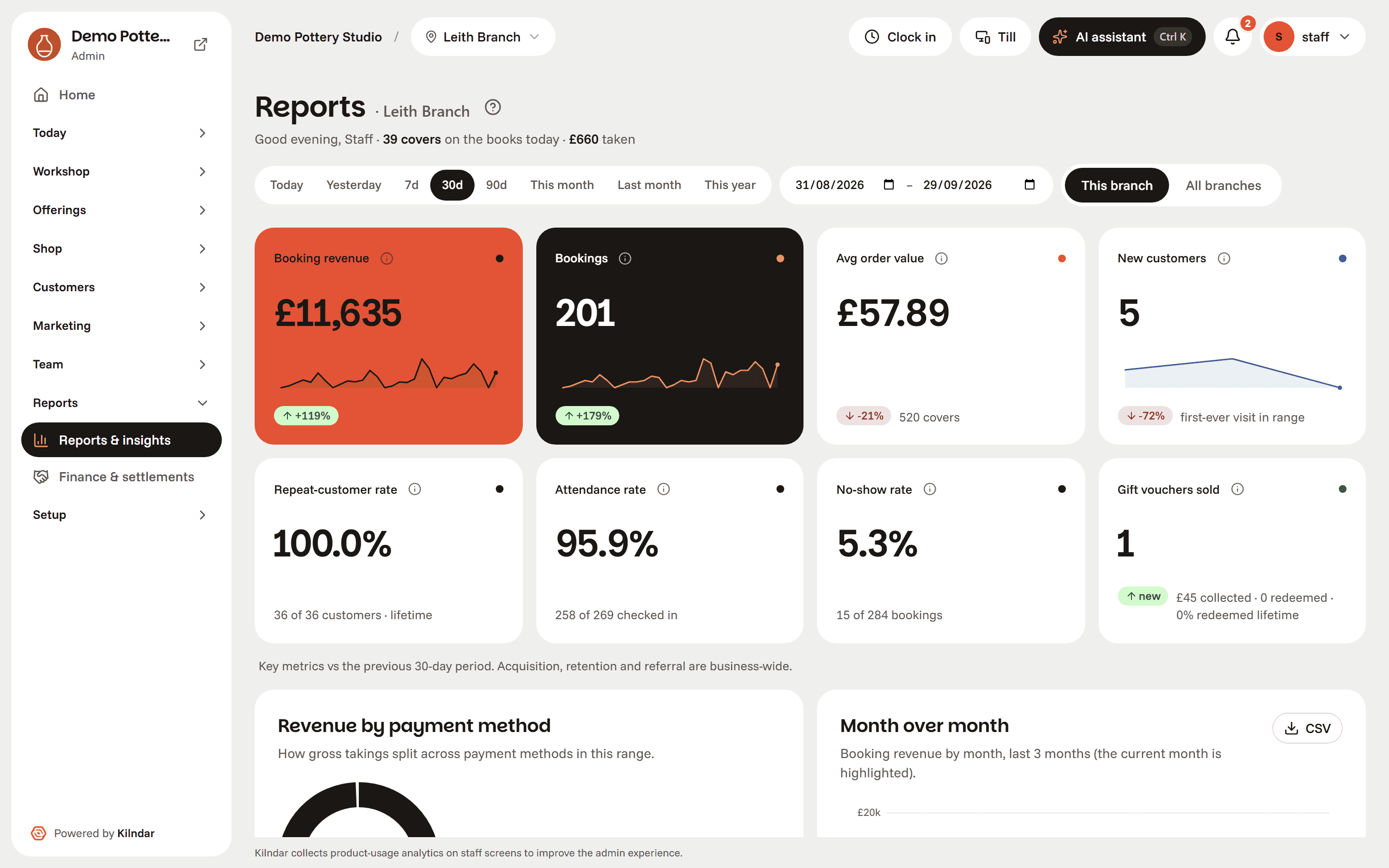
The numbers come off the day you just worked. Takings, occupancy and no-shows, with nothing to re-key.
- Revenue and covers by period
- Occupancy, repeat rate and no-shows
- CSV export on everything
When you grow
Extra branches are the same price each, on any monthly plan. A café with table ordering, rotas and a staff handbook are already in the platform; they switch on with Pro, or one at a time as add-ons.
- Extra branches
- Café and table ordering
- Rotas
- Staff handbook


One studio or ten.
Open a second studio and it joins the same account as the first: the same guests, the same team, one set of numbers. This is the part single-studio tools were never built for.
Head-office tools come with Group: every branch on one Home screen, reports across all branches and settlement between them.
Pick a day to see its busiest session.
Single-studio tools
- Each studio keeps its own customer list, so a regular at two branches is two people.
- Checking on another studio means signing in to it.
- Reports stop at the door of each studio.
- A gift card sold in one studio and spent in another gets settled on a spreadsheet.
- Staff access is set per account, not per branch.
- One catalogue for the whole business, or a separate account for each site.
Kilndar
- One guest record across every branch, with their bookings, pieces and visits from all of them.
- Every branch's day side by side on the Home screen: guests in, collections waiting, the busiest hour and who is on.
- Reports for one branch or all of them, with revenue and no-shows broken down by branch.
- Branch settlement lists what each branch redeemed in gift cards and membership credits, so head office can settle up.
- Head-office roles see every branch. Branch staff see only their own.
- Each branch has its own activities, opening hours and public booking page.
Made for the counter, not the back office.
Built for a tablet on a busy Saturday: check a party in, seat them on the floor map, ring up a walk-in and hand back last week's pieces, without leaving the till.
- Counter mode. A shared tablet, large buttons, staff switch with a PIN.
- One screen. Check-ins, walk-ins and pick-ups are tabs on the same till.
- No re-keying. Everything taken at the counter is already in tonight's numbers.

Simple pricing. Published, like it should be.
Begin on Starter: a small fee a branch and 2% when you sell online. Move to Studio or above when the sum says so: unlimited staff, unlimited bookings, 0% commission. You only pay for the branches you run.
Starter
Starting out, or selling a little online
£24
per branch / month
+ 2% on online payments only
First month free, then £24 a branch
billed annually · £29 monthly- Everything a single studio needs
- Bookings, courses, memberships, gift cards
- Front desk, till and walk-ins
- Kiln board, photos and collection reminders
- Customers, reviews and your booking site
- 500 marketing emails a month
- Kilndar link in your footer
Studio
One studio, off spreadsheets for good
£99
per branch / month
billed annually · £119 monthly- Everything in Starter, plus
- 0% commission on everything you sell
- Floor plans, tables and combinations
- Add branches at the same price each
- 2,000 marketing emails a month
- Your footer, no Kilndar link
- Saturday support
- Add Team, Know or Commerce for £40 a month each
Pro
Every add-on switched on: Team, Know and Commerce
£310
per branch / month
billed annually · £372 monthly- Everything in Studio, plus
- Team: rotas, task list, daily brief
- Know: knowledge base and handbook
- Commerce: shop, café and QR ordering
- Automations and email designer
- Loyalty cards and referrals
- API, webhooks, your own domain
- 10,000 marketing emails a month


Running more than one site
Group · Three sites or more, head office, franchise
£400
per branch / month
billed annually · £480 monthly
- Only on Group
- Every branch's day on one screen
- Reports across all branches
- Settlement between branches
- Everything in Pro, plus
- Migration and onboarding included
- A named contact, quarterly reviews
- 50,000 marketing emails a month
- No minimum term
- Price locked for your term
- Export your data anytime
Card fees go straight to Stripe. Setup and migration from £450, free on annual.
Starter or Studio? Do the sum.
Set your branches and your monthly online takings. Starter is a small fee a branch plus 2% of those takings; Studio is one flat price a branch, whatever you sell.
Starter
£124 /month, billed annually
Studio
£99 /month, billed annually
Studio saves you £25 a month. £300 a year.
On Starter the first month is free, then £24 a branch a month.
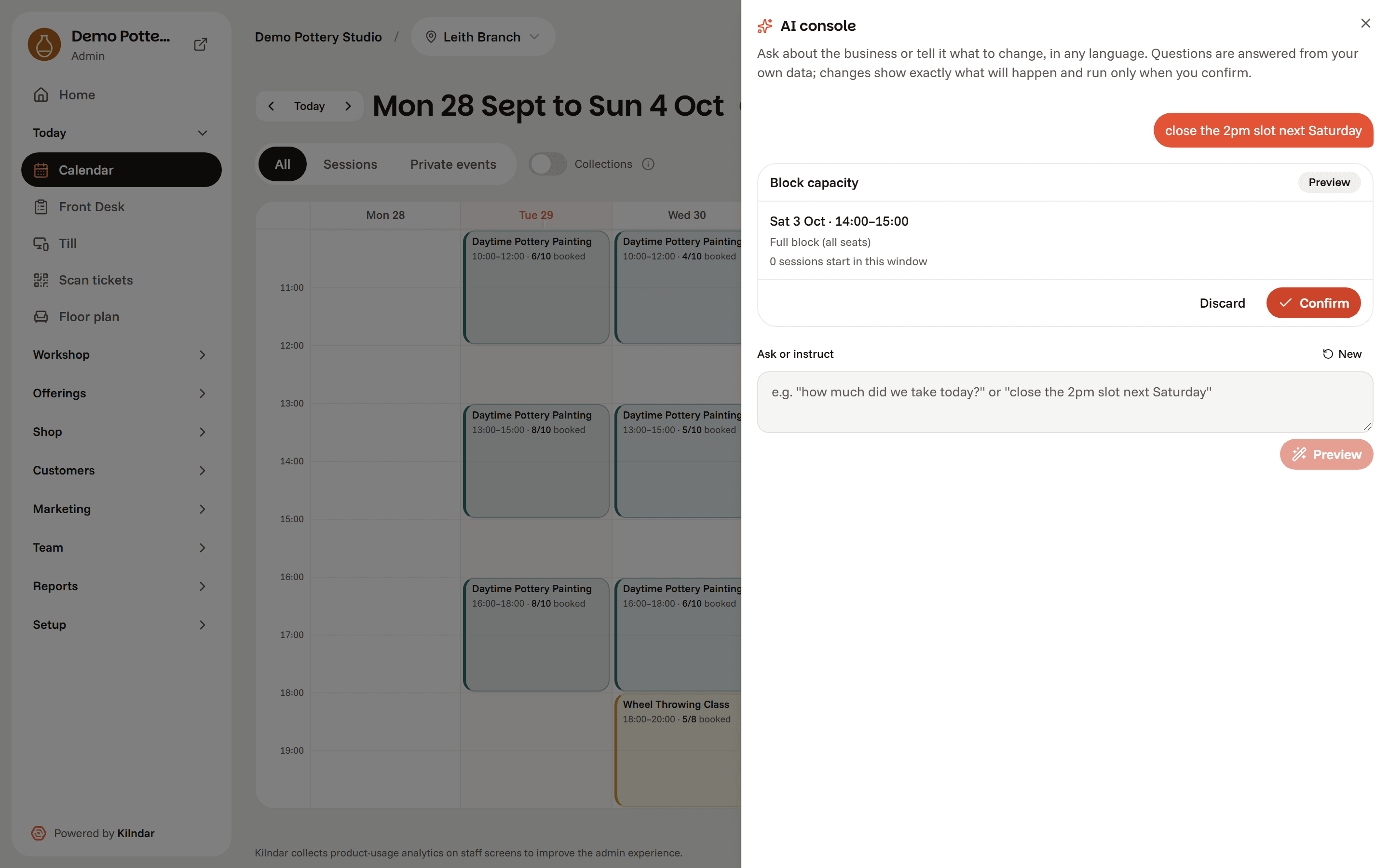
Just type it. We'll show you what changes.
Ctrl+K › Close the 2pm slot next Saturday
Ctrl+K › Cierra el slot de las 2pm del sábado
Say it however you'd say it out loud, in any language. You get a preview of the exact date, sessions and bookings affected, and nothing happens until you press Confirm. The AI drafts; plain, testable code executes; everything lands in the audit trail.
AI advises. You decide.
Tell us about your studio.
A short note is enough. We'll reply from a real inbox, usually within two working days, and set up a walkthrough of the live demo with your kind of workload. Running more than one site? We'll show you the head-office view.
- A real walkthrough, not a sales deck.You drive, we answer.
- Studio to studio.The demo runs on your kind of workload, not a generic one.
- No spam, ever.We use your details to reply to this message and nothing else.


Prefer email? Write to hello@kilndar.com.